Skip to content

Welcome to Soknockk – Premium Ventilation Solutions

Need Help? +86 19339590459

Nominal Size vs Actual Opening Size for Vent Covers

Resource · Sizing

Nominal Size vs Actual Opening Size for Vent Covers

Understand why a stamped “10×4” on an old register is not the same thing as your tape reading — and how to use both when selecting a SOKNOCKK catalog size.
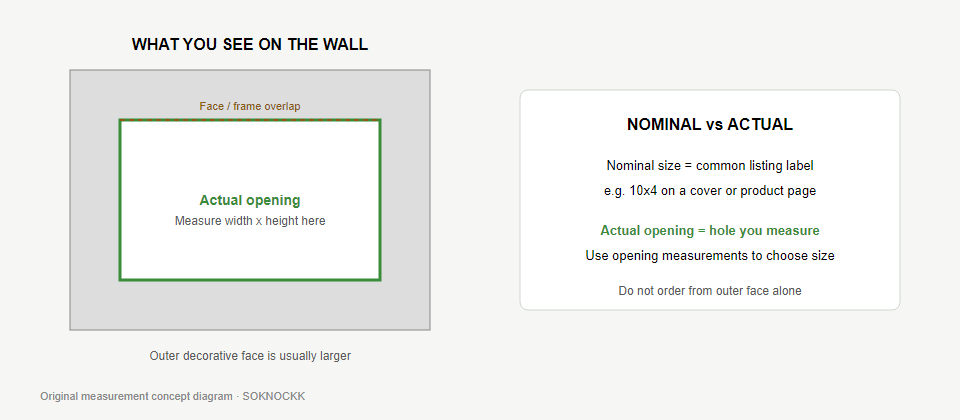
Educational diagram comparing nominal size label to actual opening
Original educational diagram — label versus measured opening.

Quick Answer

Nominal size is a size-family label. Actual opening size is what your tape measures. Shop from the tape reading; use the old label only as a starting clue.

Definitions

Nominal size is the common industry-style label printed or assumed for a register family (for example 10×4). Actual opening size is the clear width and height of the duct or wall opening you measure on site.

Both matter, but they answer different questions: the label hints at the family; the tape decides the order.

Why They Differ

  • Drywall cuts are rarely perfect rectangles.
  • Boots can be slightly compressed or out of square.
  • Older grilles may use a different maker’s nominal series.
  • Paint build-up changes what you can see before removal.
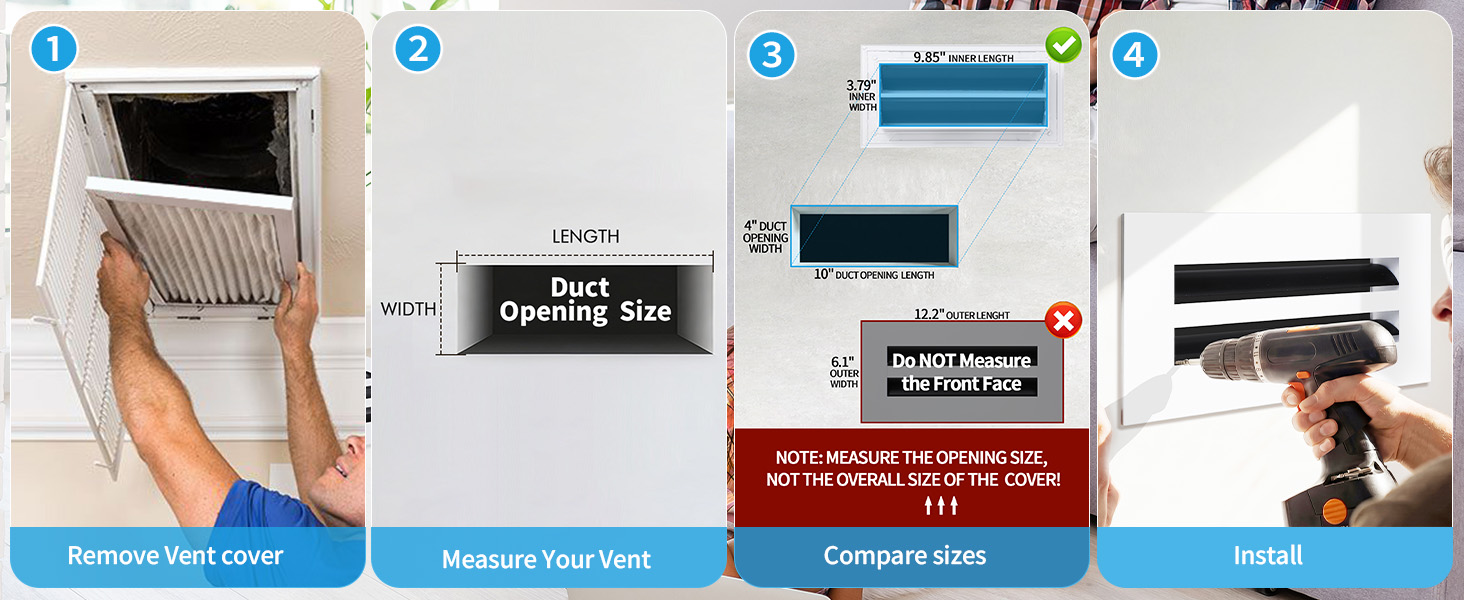
How-to-measure graphic emphasizing opening measurement
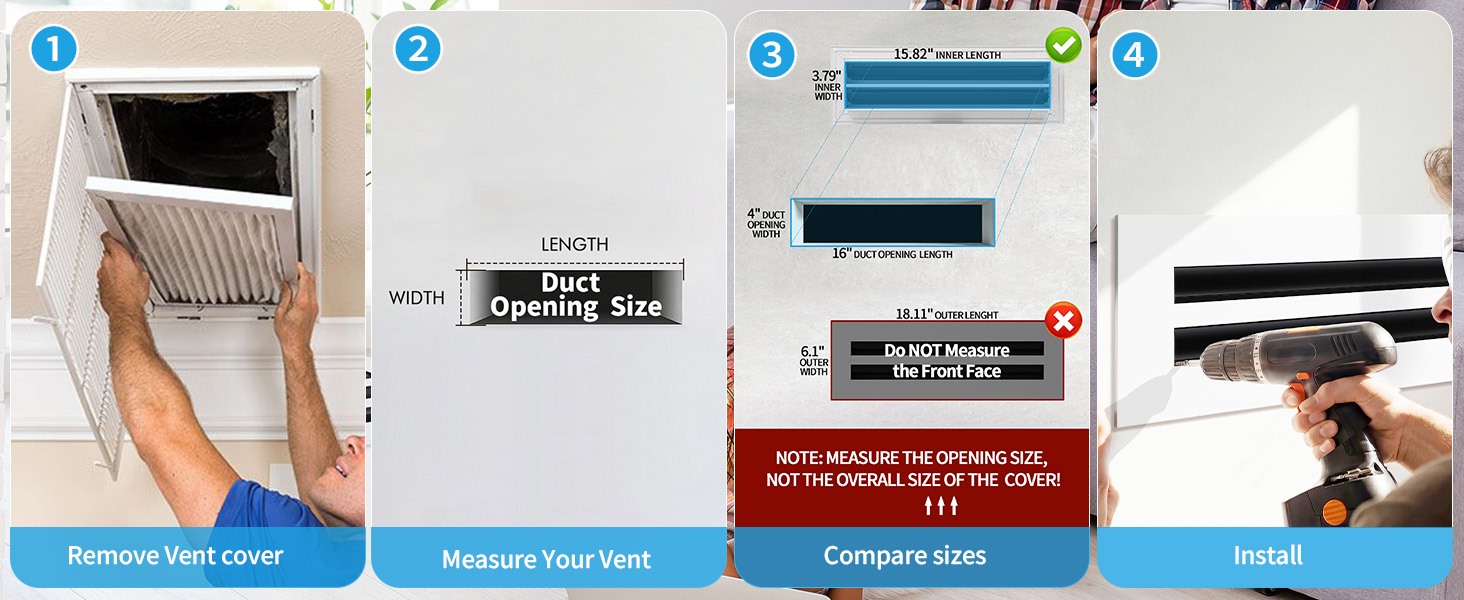
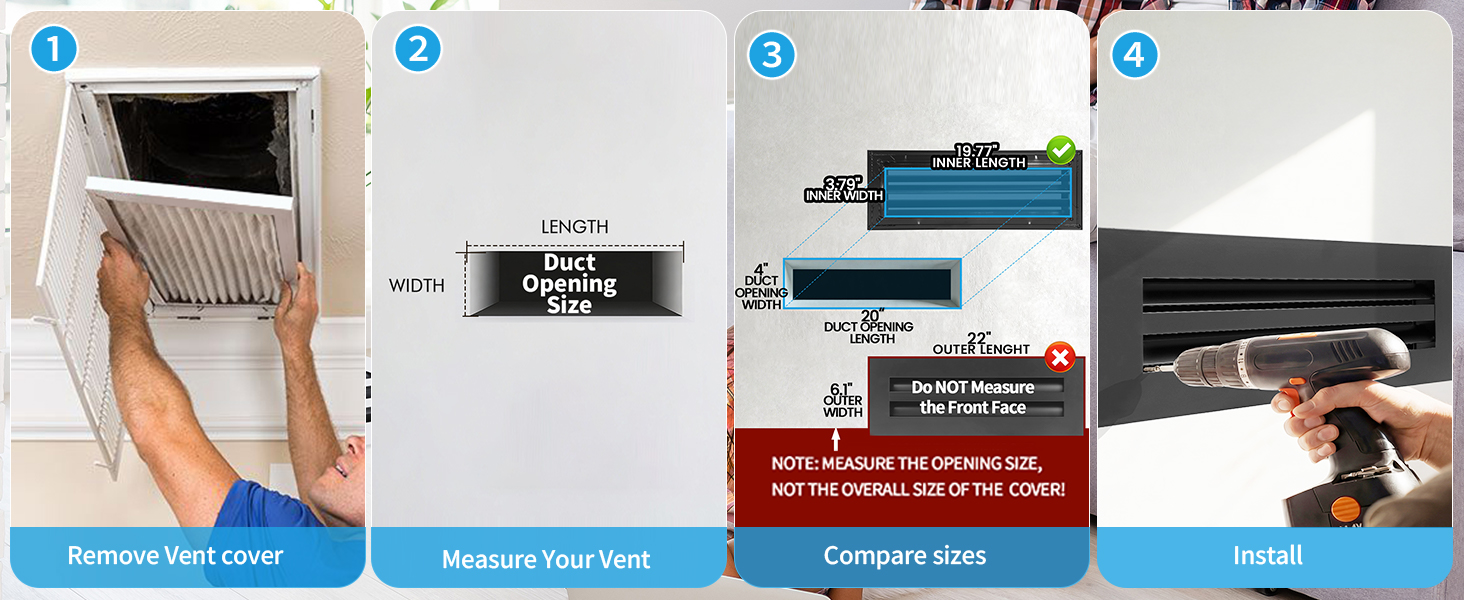
Verified How-to-Measure — always verify with a tape on the opening.

Practical Workflow

  1. Read any stamped label and note it.
  2. Measure the clear opening (Measure the Duct Opening First).
  3. Compare the tape reading to SOKNOCKK catalog rows.
  4. If label and tape disagree, trust the tape and photograph both.

Worked Examples

Old label Tape reading Action
10×4 ~10 × 4 Shop 10×4 Confirmed rows
10×4 ~9.5 × 3.8 Still compare to 10×4; photo-check fit concerns
12×6 ~16 × 4 Do not force the label — shop the tape family
(none) 24 × 4 Shop 24×4; finish after size
8×4 ~8 × 4 Shop 8×4 Confirmed

Examples are educational. They are not a promise that every house matches these numbers.
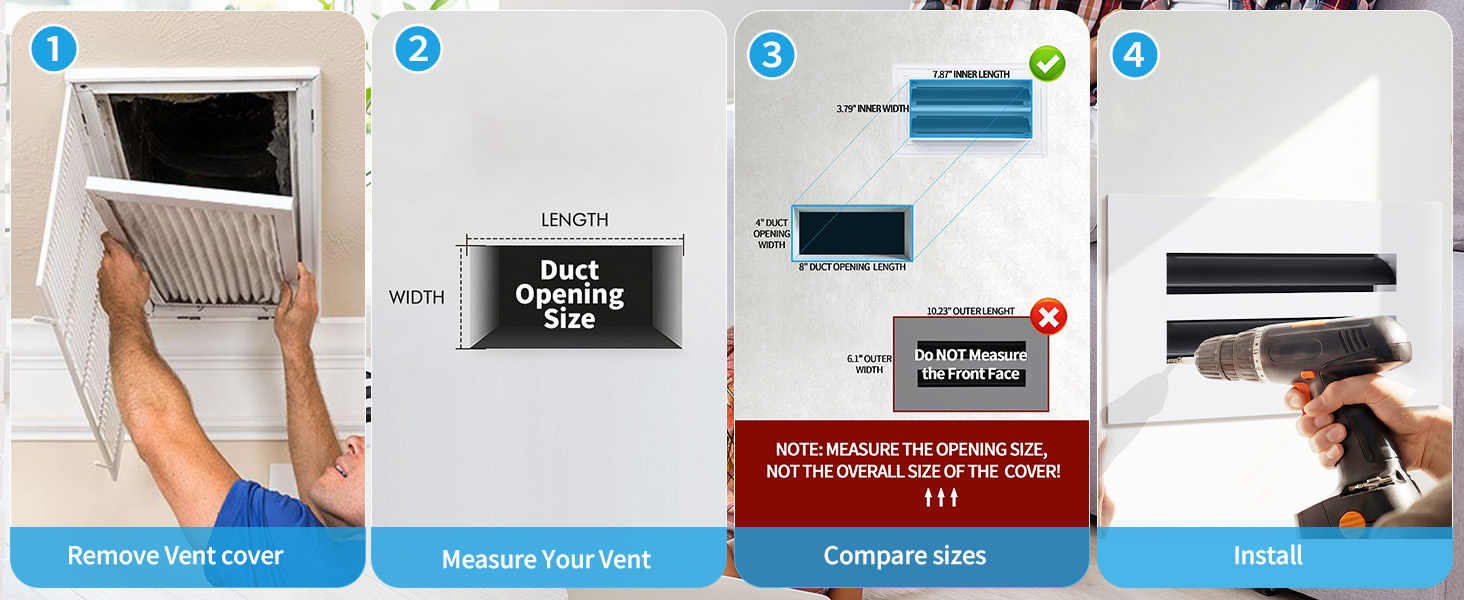
HTM 8x4
Verified HTM — 8×4.
HTM 16x4
Verified HTM — 16×4.

Field Decision Tree

  1. Can you expose the opening safely? If no, pause.
  2. Write the tape reading first.
  3. Write the old label second (if any).
  4. If they disagree by a wide margin, photograph both and ask before buying.
  5. If they roughly agree, shop the matching Confirmed catalog row.

How SOKNOCKK Lists Sizes

Public cards show Confirmed Size+Color combinations with mapped Amazon paths. Pending combinations stay off the public buy path. Color never changes the opening size family — see White and Black FAQ.
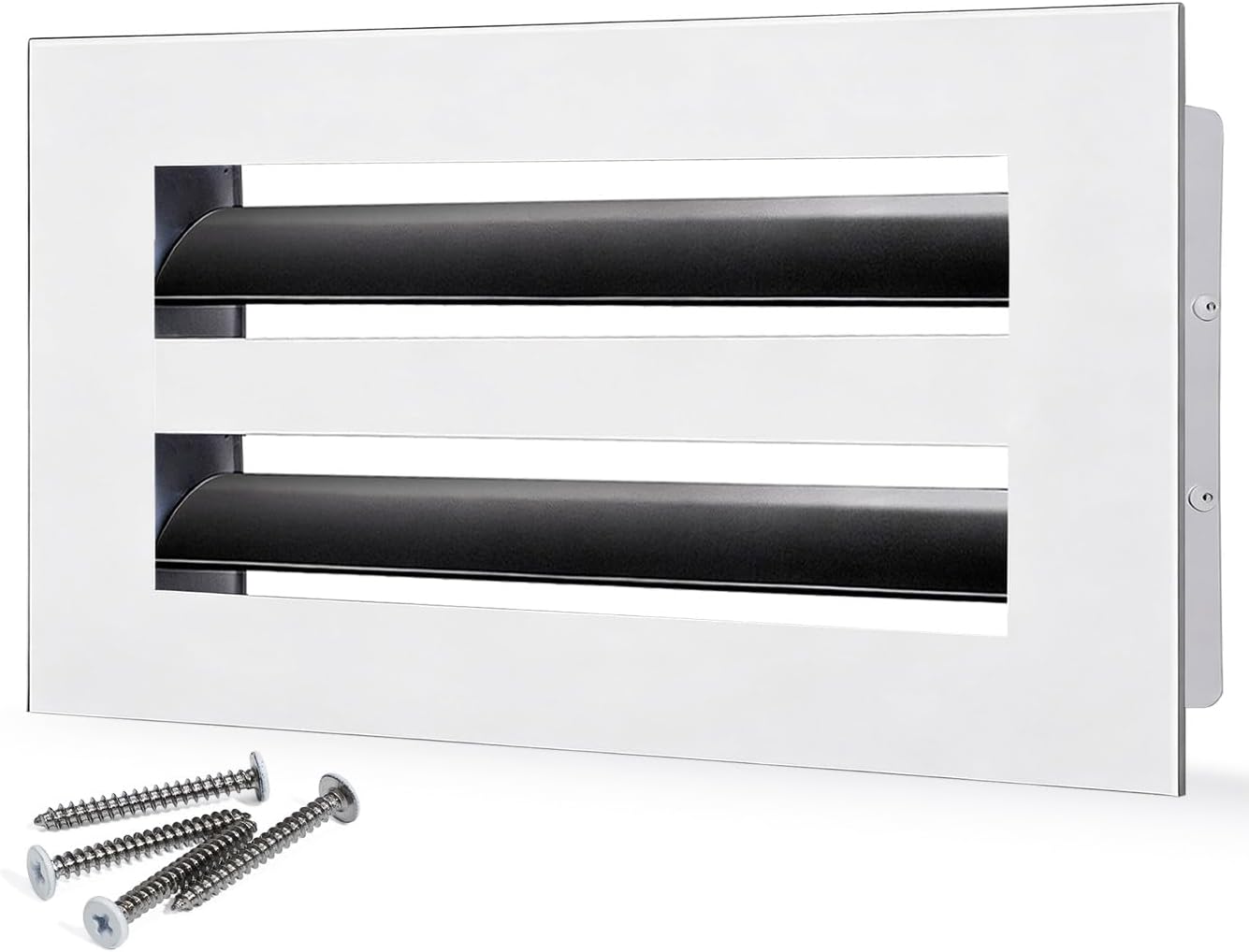
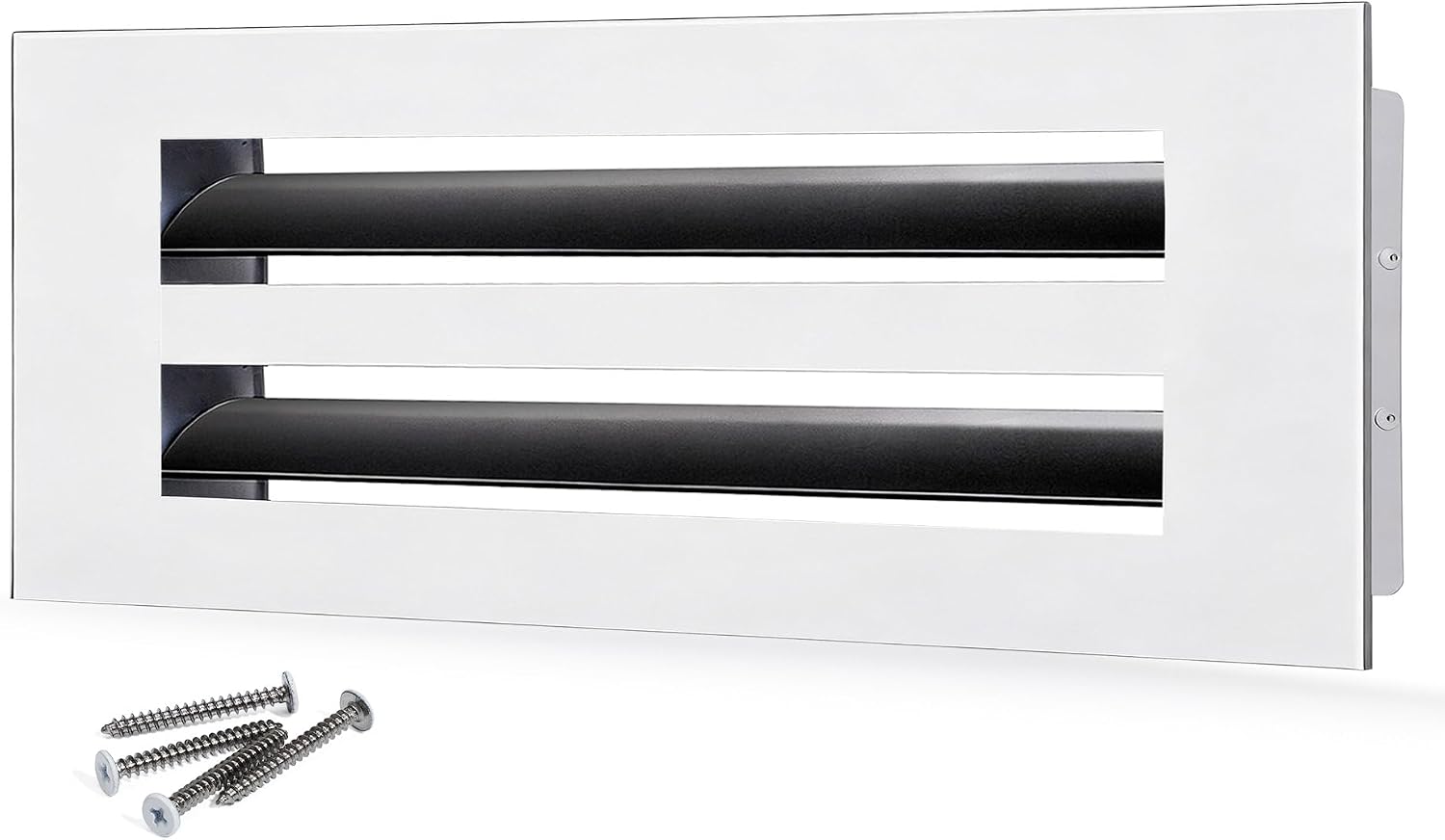
10x4 White catalog example
10×4 White — Confirmed catalog example.
Longer linear vent cover catalog example
Longer linear catalog example — still size-first.

Evidence You Should Keep

  • Photo of empty opening
  • Photo with tape across width and height
  • Photo of any stamped label
  • Note of room and wall vs ceiling

Mistakes to Avoid

  • Ordering from the outer face only.
  • Assuming every brand’s “10×4” is identical.
  • Picking color before the opening is known.
  • Rounding up “to be safe” without photos.

Practice Scenarios

  1. Label matches tape: Shop that family; still confirm Confirmed status for your finish.
  2. Label missing: Shop from tape only; keep photos.
  3. Label disagrees: Trust tape; send both to Contact/quote if unsure.
  4. Between families: Do not round up blindly — ask with photos.
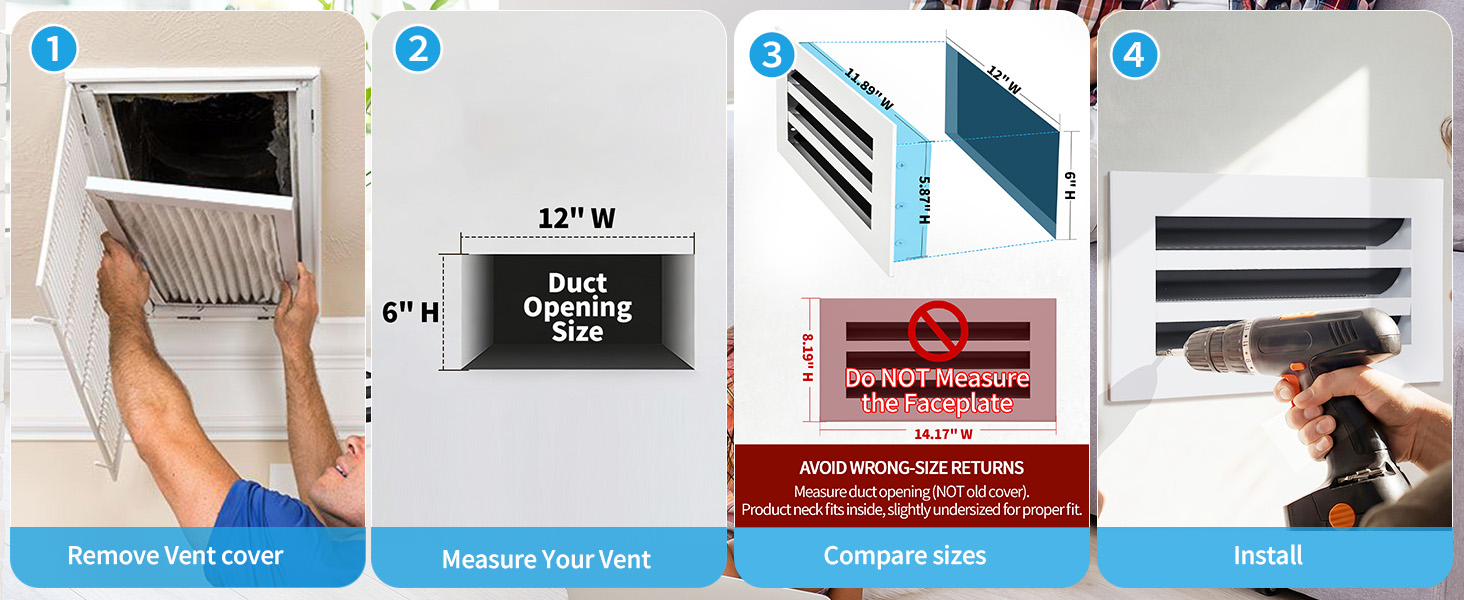
HTM 12x4
Verified HTM — 12×4.
HTM 20x4
Verified HTM — 20×4.
Rule of thumb Write tape first, label second, catalog third. Never reverse that order.

Connecting to the Catalog

After you resolve nominal vs actual, open the size on Vent Covers, compare the size-specific How-to-Measure module, then choose White or Black. Color never repairs a wrong size family.
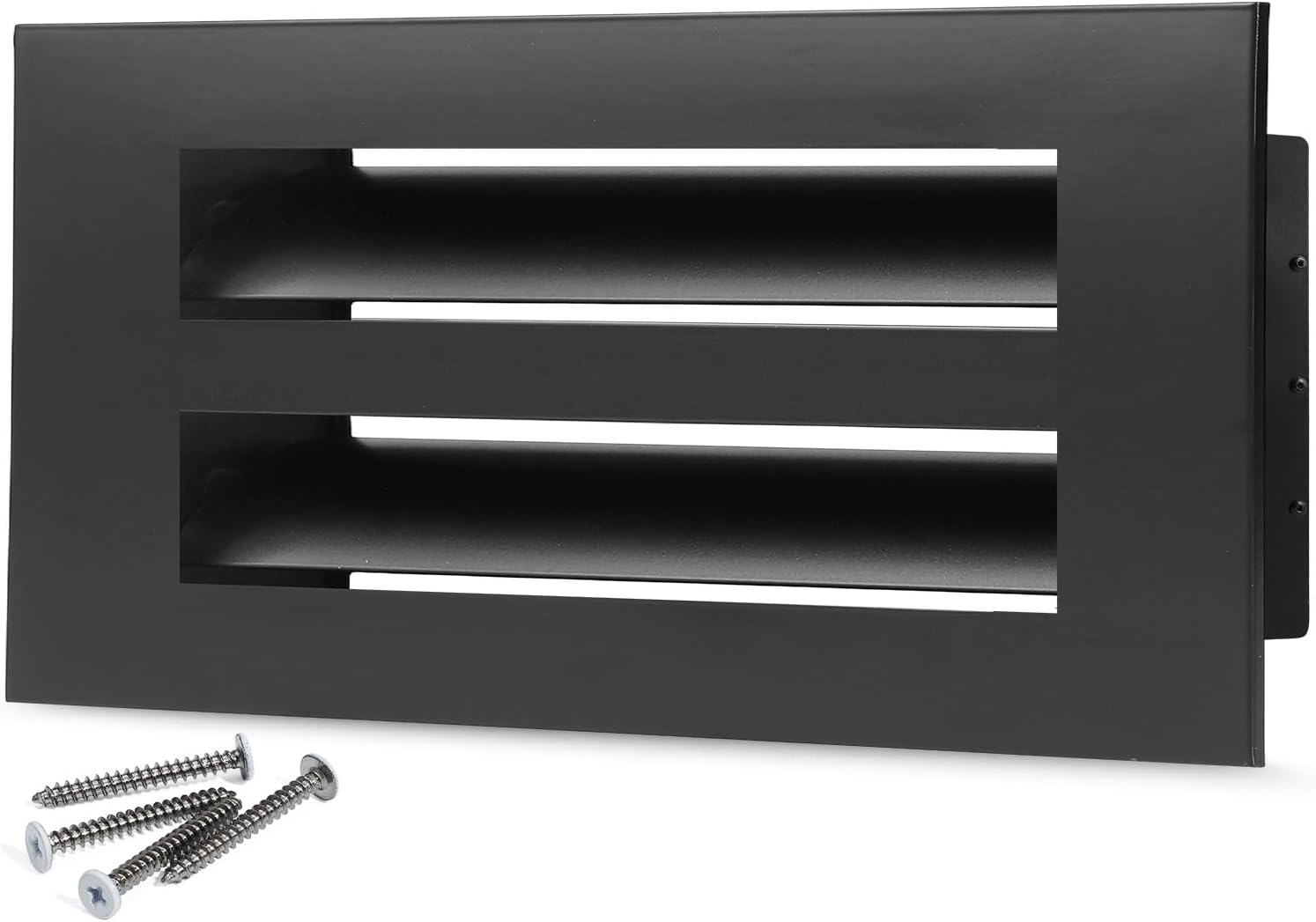
10x4 White
10×4 White Confirmed example.
10x4 Black
10×4 Black — same family.

Choose Size and Color Independently

Resource · Selection

Choose Size and Color Independently

Size matches the opening. Color is a finish choice. Use this workflow so you do not mix the two decisions when shopping SOKNOCKK vent covers.

SOKNOCKK 10x4 White vent cover
Confirmed 10×4 White example — size decided first.

Quick Answer

Measure and lock Size first, then choose White or Black. The same size family keeps the same opening dimensions regardless of finish.

Why Independence Matters

Homeowners often shop by photo mood — “I want the black one” — before they know the opening. That skips the fit decision. SOKNOCKK listings are Size+Color pairs: changing finish does not enlarge or shrink the opening. See White and Black — does color change the opening size?.

Size Decision

  1. Measure the opening (Measure the Duct Opening First).
  2. Resolve nominal vs actual questions (Nominal vs Actual).
  3. Pick the closest catalog size on Vent Covers.
  4. Cross-check the size-specific How-to-Measure module on Confirmed product pages.
How-to-measure 10x4
Verified How-to-Measure — use after your tape reading.

Color Decision

After size is fixed, choose White or Black to match trim, ceiling, or millwork. Compare Confirmed photography for that Size+Color — a White photo is not a Black listing.

10x4 White
10×4 White — Confirmed example.
10x4 Black
10×4 Black — same size family.

Printable Size+Color pairing sheet

Use one row per opening. Measure the clear opening first (width × height). Write the matching catalog size in a separate column — do not treat the measured opening and the product’s labeled size as the same field. Choose White or Black only after the catalog size is known. Mark a pair Confirmed only when that exact Size+Color exists on Vent Covers; otherwise mark it Not verified / Needs confirmation. Rows below are blank for printing — they are not an inventory list.

Blank worksheet (print or copy)

Room / location Measured opening (W × H) Catalog size (product label) Color (White / Black) Qty Notes (sightline, Not verified / Needs confirmation, etc.)


How to fill one row (example pattern only)

  1. Room / location — e.g. “hallway ceiling, near stairs”.
  2. Measured opening — tape the clear opening; write W × H in inches.
  3. Catalog size — the size label on the product page that matches that opening (often the same numbers, but confirm on the listing).
  4. Color — White or Black for that size, only if Confirmed.
  5. Qty — how many identical openings share this row.
  6. Notes — shared sightline rule, or Not verified / Needs confirmation if the pair is not Confirmed on the catalog page.

Confirmed Size+Color examples (optional reference — not stock)

These public Confirmed pairs illustrate how to record an exact size and color. They do not imply every size has both finishes, and they do not promise availability.

Catalog size Color Status Product page
6×4 White Confirmed 6×4 White
8×4 White Confirmed 8×4 White
8×4 Black Confirmed 8×4 Black
10×4 White Confirmed 10×4 White
10×4 Black Confirmed 10×4 Black

Shopping Sequence

Step Action Done when
1 Measure opening Width × height written
2 Select size row Catalog size chosen
3 Select finish White or Black chosen
4 Confirm buy path Confirmed → Amazon CTA

Examples

Situation Correct order
Want Black finish, opening ~10×4 Confirm 10×4 first, then Black
Like a photo of a long linear White cover Measure your opening; do not copy the photo size blindly
Need help on an unmapped finish Use Contact or quote — do not invent a buy path

Confirmed vs Pending

Only Confirmed Size+Color combinations expose BUY ON AMAZON on this site. Pending means that pair is not offered as a public purchase path here — see Amazon Link Pending FAQ and Confirmed Sizes Purchase on Amazon.

End-to-End Walkthrough

  1. Tape the opening; write width × height.
  2. Resolve label vs tape using Nominal vs Actual if needed.
  3. Open the size on Vent Covers.
  4. Confirm the How-to-Measure module matches your family.
  5. Select White or Black on that same size.
  6. Verify Confirmed status before BUY ON AMAZON.
HTM 10x4
Size check — 10×4 HTM.
10x4 Black
Finish check — 10×4 Black example.

Selection Pitfalls

  • Shopping from a mood photo of a different size.
  • Assuming every finish exists as Confirmed for every size.
  • Changing size to chase a finish.